bos slot Casino & Sportsbook Mobile App
We at bos slot offer access to our platform through multiple pathways—Android APK installation, iOS browser access, and responsive web interface—each suited to different devices and user preferences. Our mobile-first design ensures that whether you are tracking Liga 1 fixtures from Jakarta, managing DANA deposits during Idul Fitri, or playing live-dealer tables on a commute, your account and funds remain accessible and secure. This guide walks through installation, device compatibility, and the trade-offs between app and browser access.

- Installin
- SHA256 Match
- LoginOTP Verification
Mobile access to bos slot means you can deposit via e-wallet or mobile banking, check your account balance, and engage with live blackjack or slot games without being tied to a desktop. Our platform is built to work on slower networks common in Indonesia, with offline caching on the Android app and progressive-web-app features on the browser version. Both paths connect to the same account and payment systems, so your transaction history and balance sync across devices.
Our services are available only in jurisdictions where local law permits. Users are responsible for verifying that access and use comply with the laws of their own jurisdiction. If you are unsure whether bos slot is available in your location, contact our multilingual support team before proceeding with installation or account setup.
Installation paths for bos slot
We provide three main ways to access bos slot on mobile devices. Android users can download our APK directly from our platform and install it on devices running Android 7 or later. iOS users access bos slot through Safari or other mobile browsers, as we do not distribute a native iOS app through the App Store. Web users on any device can visit our responsive site and use it as a progressive web app, which caches key data locally for faster load times.
Android APK installation
To install bos slot on Android, download the APK file from our platform, then navigate to your device settings and enable installation from unknown sources. Open the downloaded file and follow the on-screen prompts. Once installed, the app appears on your home screen and can be launched like any other application. Android users benefit from offline caching, push notifications for live-game updates, and faster load times compared to browser access.
iOS browser access
iOS users access bos slot through Safari or Chrome by visiting our domain. The browser experience is fully responsive and optimized for iPhone and iPad screens. You can add bos slot to your home screen as a web clip, which creates a shortcut that launches the site in full-screen mode. This approach requires no installation and updates automatically whenever we deploy changes to our platform.
Web app on any device
Our responsive web interface works on any device with a modern browser—desktop, tablet, or phone. The web version includes progressive-web-app features that cache essential data, allowing you to view your account balance and recent transactions even during brief network interruptions. Switching between devices is seamless; your account, balance, and transaction history remain synchronized across all access methods.
Getting started with bos slot on mobile

-
1
Download the APK or open the browserStep 1
Android users download the APK from our platform; iOS and web users navigate to our domain in their browser.
-
2
Install or add to home screenStep 2
Android: follow the installation prompt. iOS: tap Share and select Add to Home Screen. Web: bookmark or use as-is.
-
3
Create or sign in to your accountStep 3
New users open an account; existing users sign in with their username or email and password.
-
4
Verify your identity and depositStep 4
Submit your ID and proof of address, then fund your account via DANA, e-wallet, mobile banking, or bank transfer.
App versus browser: trade-offs
The bos slot Android app offers offline caching, which means you can view your account balance and recent transactions even if your connection drops local paymentefly. Push notifications alert you to live-game updates and promotional offers. The app also loads faster on slower networks because cached assets do not need to be re-downloaded. The browser version, by contrast, requires no installation and updates automatically; it works identically on iOS, Android, and desktop, so you do not need to manage multiple versions. Choose the app if you value speed and offline access; choose the browser if you prefer simplicity and cross-device consistency.
Device compatibility
Our Android app runs on devices with Android 7.0 or later. iOS users need iOS 12 or later to access bos slot through Safari or Chrome. Web access works on any device with a modern browser—Chrome, Safari, Firefox, or Edge—released within the last three years. If your device is older or runs an unsupported OS version, contact our support team to discuss alternative access methods.
Troubleshooting common installation issues
If Android installation fails, ensure that unknown sources are enabled in your device settings under Security. If you see a certificate warning, this is normal for APK installations outside the Play Store; tap Install Anyway to proceed. If the app crashes on launch, clear your device cache and restart. For iOS users, if the web app does not load, clear your browser cache and cookies, then try again. If you encounter persistent errors across multiple devices or browsers, our multilingual support team can assist with account recovery or alternative access methods. We maintain documented response times for all technical inquiries.
Security and account management on bos slot mobile
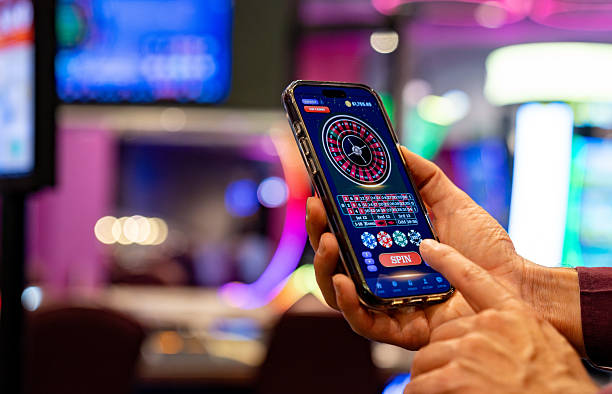
When you access bos slot on mobile, your account data is encrypted in transit and at rest. We do not store your payment credentials on your device; instead, we route all transactions through secure payment gateways operated by DANA, e-wallet, mobile banking, and our banking partners. The app requests only the permissions it needs—location is not required, and we do not access your contacts or photos. Your transaction history, account balance, and personal details remain private and are accessible only to you and our support team when you request assistance.
We recommend using a strong, unique password for your bos slot account and enabling two-factor authentication if available. If you suspect unauthorized access, contact our support team immediately; we can freeze your account and guide you through recovery. Our multilingual support staff are available to help with account recovery, payment inquiries, and verification questions. We maintain standard response windows for all support requests and document our handling of sensitive account information.
Access to bos slot on mobile is seamless across devices. Your account, balance, and transaction history sync automatically whether you are using the Android app, iOS browser, or web interface. If you lose access to one device, you can sign in on another device using your username or email and password. Our support team can assist with account recovery if you forget your credentials or need to update your contact information.